> ## Documentation Index
> Fetch the complete documentation index at: https://help.pixwel.com/llms.txt
> Use this file to discover all available pages before exploring further.
# Languages
> The Admin Dashboard Languages tab — the localization languages the platform works in, their codes, and translation fonts.
The **Languages** tab on the [Admin Dashboard](/features/admin-dashboard) defines every localization [language](/glossary) the platform can work in. Each language carries the codes that identify it across the system and the fonts used to render its text in subtitles and localized graphics. Languages are the master list that [territories](/features/admin/territories) draw from and that files, previews, and [permissions](/features/admin/permissions) are scoped by.
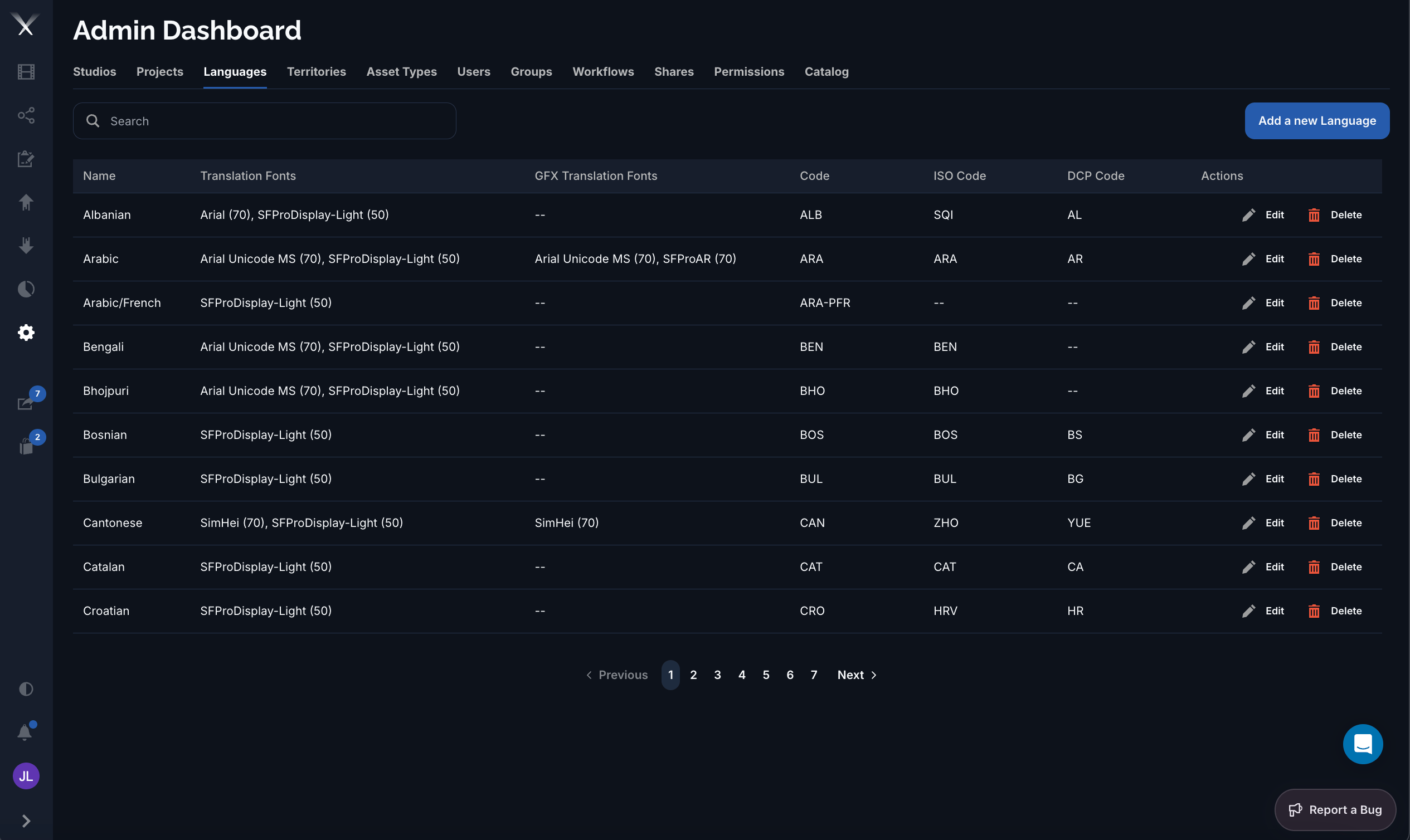 ## Columns
| Column | What it is |
| ------------------------- | ----------------------------------------------------------------------------------------------------------------------------------------------------- |
| **Name** | The display name (for example *Arabic*, *Cantonese*). |
| **Translation Fonts** | The font(s) used to render **subtitles** for this language, shown as *face (size)* — for example `Arial (70)`. The number is the font size in points. |
| **GFX Translation Fonts** | The font(s) used to render text in **localized graphics** (GFX). Shows `--` when a language has no graphics-specific font. |
| **Code** | Pixwel's internal three-letter language code (for example `ARA`, `CAN`) used throughout the platform to tag files, territories, and translations. |
| **ISO Code** | The standard [ISO 639](https://en.wikipedia.org/wiki/ISO_639) language code, for interoperability with industry tooling. |
| **DCP Code** | The code used in [Digital Cinema Package](/glossary) naming for theatrical delivery. Blank for languages with no DCP equivalent. |
## Editing a language
The language form has two tabs:
* **Details** — the **Name** and the three codes (**Code**, **ISO Code**, **DCP Code**).
* **Translations** — the **Translation Fonts** (subtitles) and **GFX Translation Fonts** (graphics). Each font row sets a **face**, a **size** in points, and an optional **studio**, so a studio can override the default font for a language. Subtitle fonts can toggle an **outline**; GFX fonts choose a **weight** (Regular or Bold).
When no studio-specific font is set, the platform falls back to the default font row (the one with no studio), and ultimately to Arial at 70 pt with outline.
Combined codes such as `ARA-PFR` (*Arabic/French*) represent dual-language deliverables. Some of these have no GFX font or DCP code, which is expected.
## Columns
| Column | What it is |
| ------------------------- | ----------------------------------------------------------------------------------------------------------------------------------------------------- |
| **Name** | The display name (for example *Arabic*, *Cantonese*). |
| **Translation Fonts** | The font(s) used to render **subtitles** for this language, shown as *face (size)* — for example `Arial (70)`. The number is the font size in points. |
| **GFX Translation Fonts** | The font(s) used to render text in **localized graphics** (GFX). Shows `--` when a language has no graphics-specific font. |
| **Code** | Pixwel's internal three-letter language code (for example `ARA`, `CAN`) used throughout the platform to tag files, territories, and translations. |
| **ISO Code** | The standard [ISO 639](https://en.wikipedia.org/wiki/ISO_639) language code, for interoperability with industry tooling. |
| **DCP Code** | The code used in [Digital Cinema Package](/glossary) naming for theatrical delivery. Blank for languages with no DCP equivalent. |
## Editing a language
The language form has two tabs:
* **Details** — the **Name** and the three codes (**Code**, **ISO Code**, **DCP Code**).
* **Translations** — the **Translation Fonts** (subtitles) and **GFX Translation Fonts** (graphics). Each font row sets a **face**, a **size** in points, and an optional **studio**, so a studio can override the default font for a language. Subtitle fonts can toggle an **outline**; GFX fonts choose a **weight** (Regular or Bold).
When no studio-specific font is set, the platform falls back to the default font row (the one with no studio), and ultimately to Arial at 70 pt with outline.
Combined codes such as `ARA-PFR` (*Arabic/French*) represent dual-language deliverables. Some of these have no GFX font or DCP code, which is expected.