> ## Documentation Index
> Fetch the complete documentation index at: https://help.pixwel.com/llms.txt
> Use this file to discover all available pages before exploring further.
# Files
> Files are the real, downloadable deliverables of an asset — where localization lands, grouped by usage and selected by language and version.
A **file** is the real, downloadable thing — an encoded video, an image, a subtitle file, a document. Files are where localization actually lands: each file can carry a **language** (a three-letter code like `ENG`) and a **country** (a two-letter code like `UK`), so a single [asset](/features/projects/assets) accumulates many files as it's localized and encoded for different markets.
A file is **always** attached to a [project](/features/projects/overview), and **usually** attached to an asset — but not always. A project logo or a stray imported document can live directly under the project with no asset.
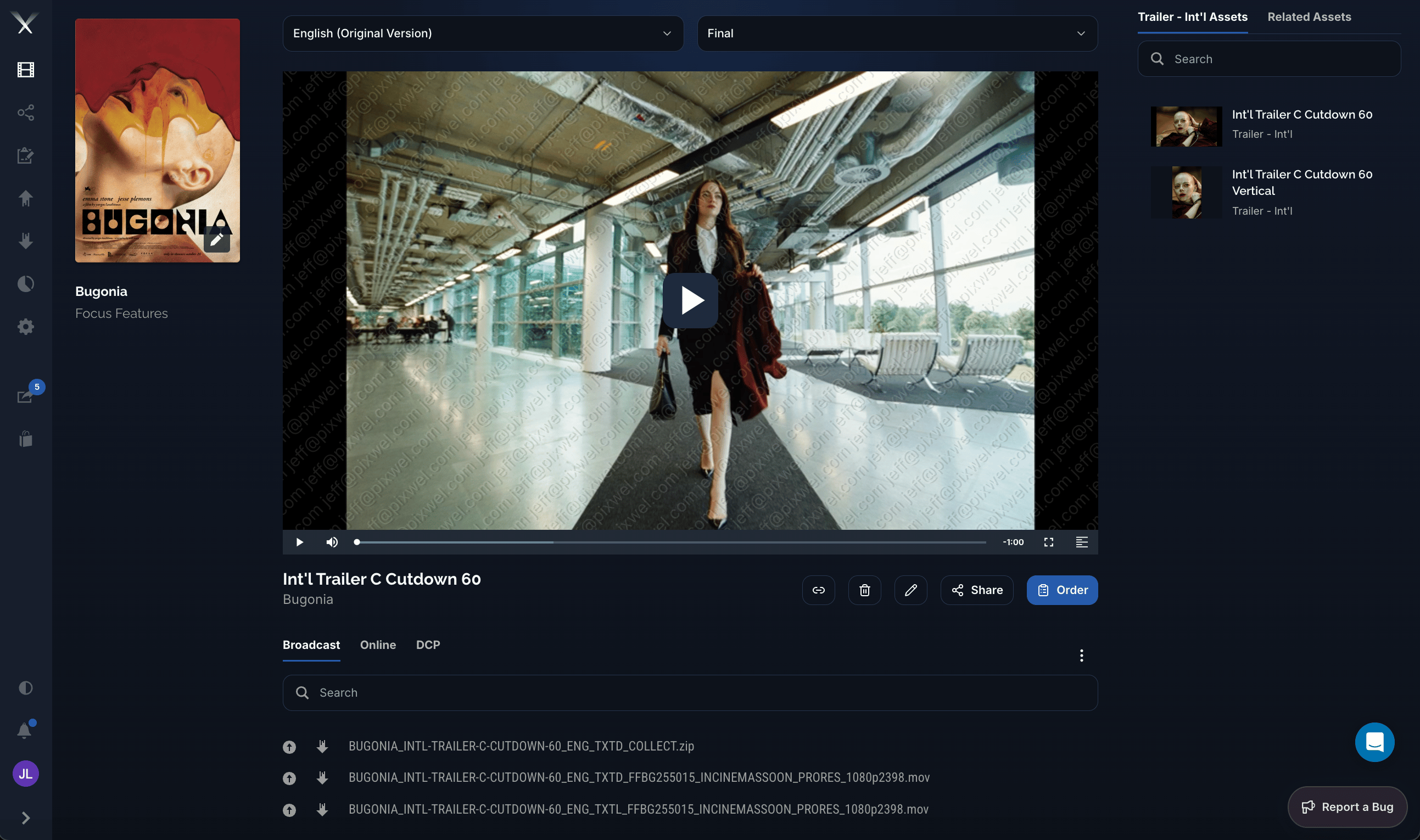 From the asset page you select a **language** and **version** (for example *English (Original Version)* / *Final*), preview the asset in the player, and download the underlying files. Files are grouped under **usage** tabs — **Broadcast**, **Online**, and **DCP** — and each row has a download control. From here you can also **Share** or **Order** (place a [work request](/glossary)) for the asset.
For how to actually download files — including embargoes and Aspera — see the [Downloading files](/guides/downloads) guide.
From the asset page you select a **language** and **version** (for example *English (Original Version)* / *Final*), preview the asset in the player, and download the underlying files. Files are grouped under **usage** tabs — **Broadcast**, **Online**, and **DCP** — and each row has a download control. From here you can also **Share** or **Order** (place a [work request](/glossary)) for the asset.
For how to actually download files — including embargoes and Aspera — see the [Downloading files](/guides/downloads) guide.