> ## Documentation Index
> Fetch the complete documentation index at: https://help.pixwel.com/llms.txt
> Use this file to discover all available pages before exploring further.
# Accounts & Passwords
> How to reset your password and how to request login credentials for a new team member.
## Reset your password
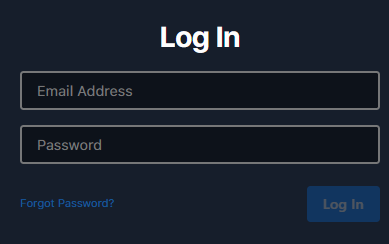 Visit [platform.pixwel.com](https://platform.pixwel.com) and click **Forgot Password?**
Type the email address your account uses.
You'll get an email from **[notifications@pixwel.com](mailto:notifications@pixwel.com)** with the subject **Password reset** and a link to set a new password.
If the email doesn't arrive, check your spam folder.
## Request credentials for a new team member
New accounts require approval from your studio's Head Office, so credentials are requested through the Pixwel team rather than self-served.
Email **[platform@pixwel.com](mailto:platform@pixwel.com)** with:
* The person's **full name**
* Their **title** and **position details**
* Whether they're **replacing** someone who left — and if so, who
* **When** the credentials are needed
The Pixwel team passes the request to your Head Office stakeholder for approval, then sets up the account.
Visit [platform.pixwel.com](https://platform.pixwel.com) and click **Forgot Password?**
Type the email address your account uses.
You'll get an email from **[notifications@pixwel.com](mailto:notifications@pixwel.com)** with the subject **Password reset** and a link to set a new password.
If the email doesn't arrive, check your spam folder.
## Request credentials for a new team member
New accounts require approval from your studio's Head Office, so credentials are requested through the Pixwel team rather than self-served.
Email **[platform@pixwel.com](mailto:platform@pixwel.com)** with:
* The person's **full name**
* Their **title** and **position details**
* Whether they're **replacing** someone who left — and if so, who
* **When** the credentials are needed
The Pixwel team passes the request to your Head Office stakeholder for approval, then sets up the account.