

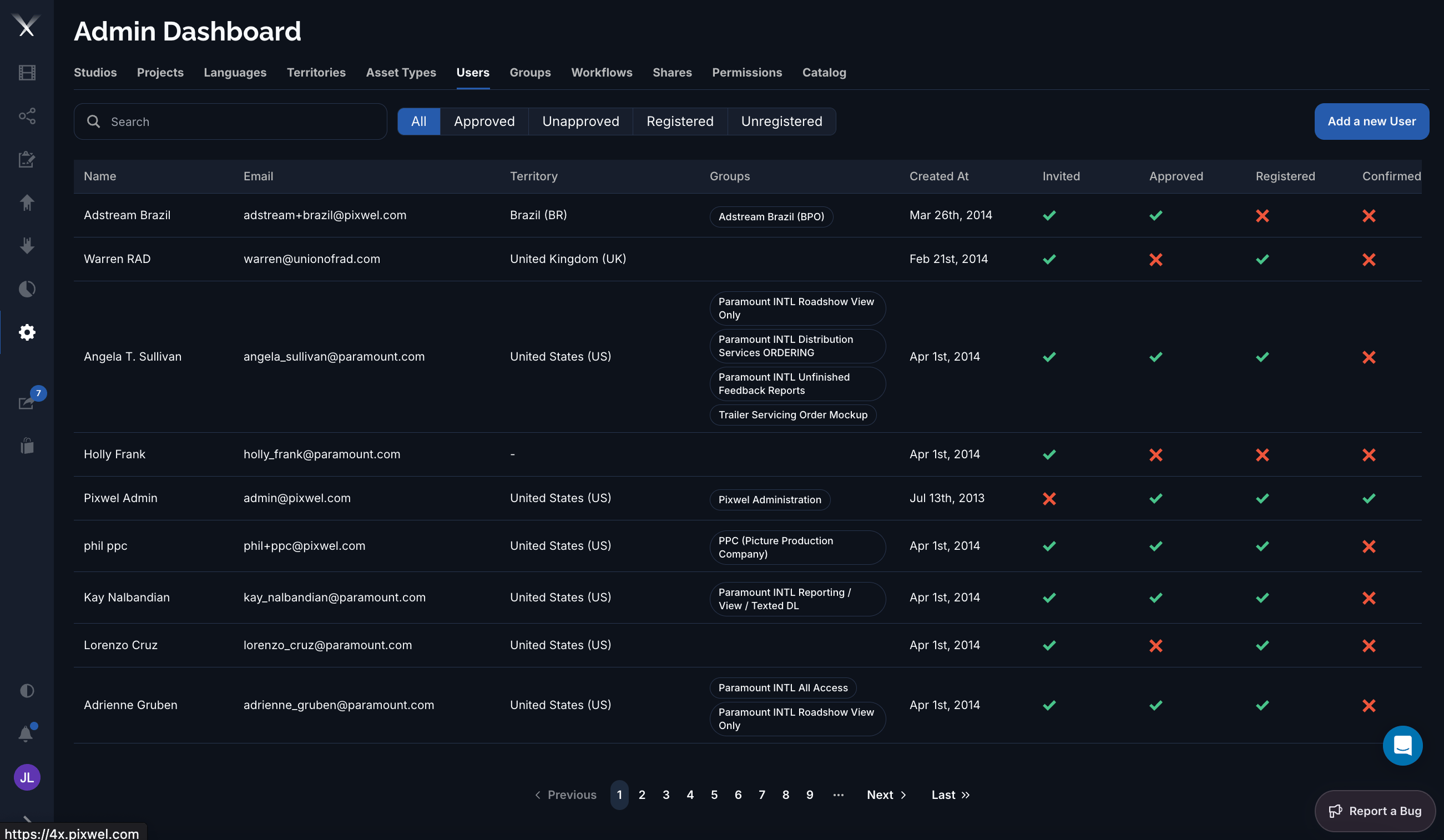
The Users tab: each user shows their email, territory, groups, creation date, and lifecycle status icons. Filter chips narrow the list by approval and registration state.
Filtering
Above the list, filter chips narrow it by lifecycle state: All, Approved, Unapproved, Registered, and Unregistered. Combine these with Search to find an account quickly.Columns
Editing a user
The user form has these fields:- Full Name
- Email — set at creation and locked when editing.
- Territory — the user’s associated region.
- Groups — the groups the user belongs to; this is how membership is granted.
- Approve — marks the account as approved.