The Admin Dashboard is where Pixwel administrators configure the platform. Everything the rest of Pixwel hangs off of — the studios that own projects, the languages and territories assets are localized for, the users and groups that get access, and the permissions that govern it all — is created and edited here.
The Admin Dashboard is administrator-only. If you don’t see it, your group hasn’t been granted administrator access. See User roles.
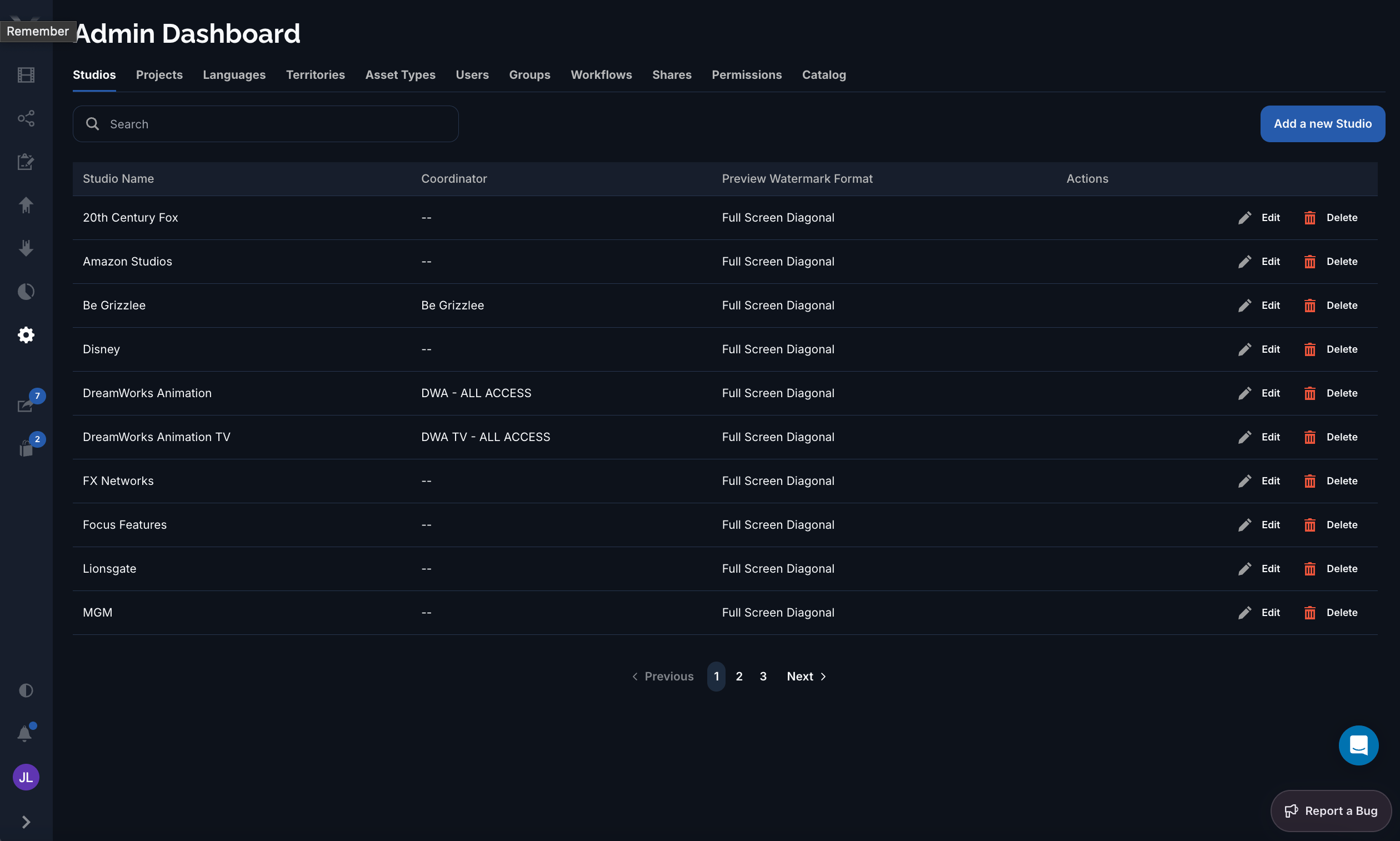
The Admin Dashboard showing the Studios tab with a list of studios

The Admin Dashboard, on the Studios tab. Each tab manages one type of platform record, with search, paging, and per-row Edit/Delete actions.

Each tab manages one kind of record. Most share the same pattern: a searchable, paged list with an Add a new … button, and per-row Edit and Delete actions. A few tabs (Permissions, Catalog) use a custom layout suited to what they manage.

The tabs

Common actions

Within the standard list tabs you can:
  • Search the list to find a record by name.
  • Add a new record with the button at the top-right.
  • Edit a record in a detail form.
  • Delete a record (where allowed — records still in use are protected).
  • Page through long lists with the pager at the bottom.
Most administrator work is about access: creating a Studio, adding its Projects, defining the Groups people belong to, and granting those groups the right Permissions. The reference tabs (Languages, Territories, Asset Types) maintain the shared vocabulary those records draw on.