

What you’re ordering
You build an order on the Place Order page. The assets you’re ordering for sit in the Assets List on the left, the order details fill the center, and a running Your Order summary with a live Cost Estimate stays on the right.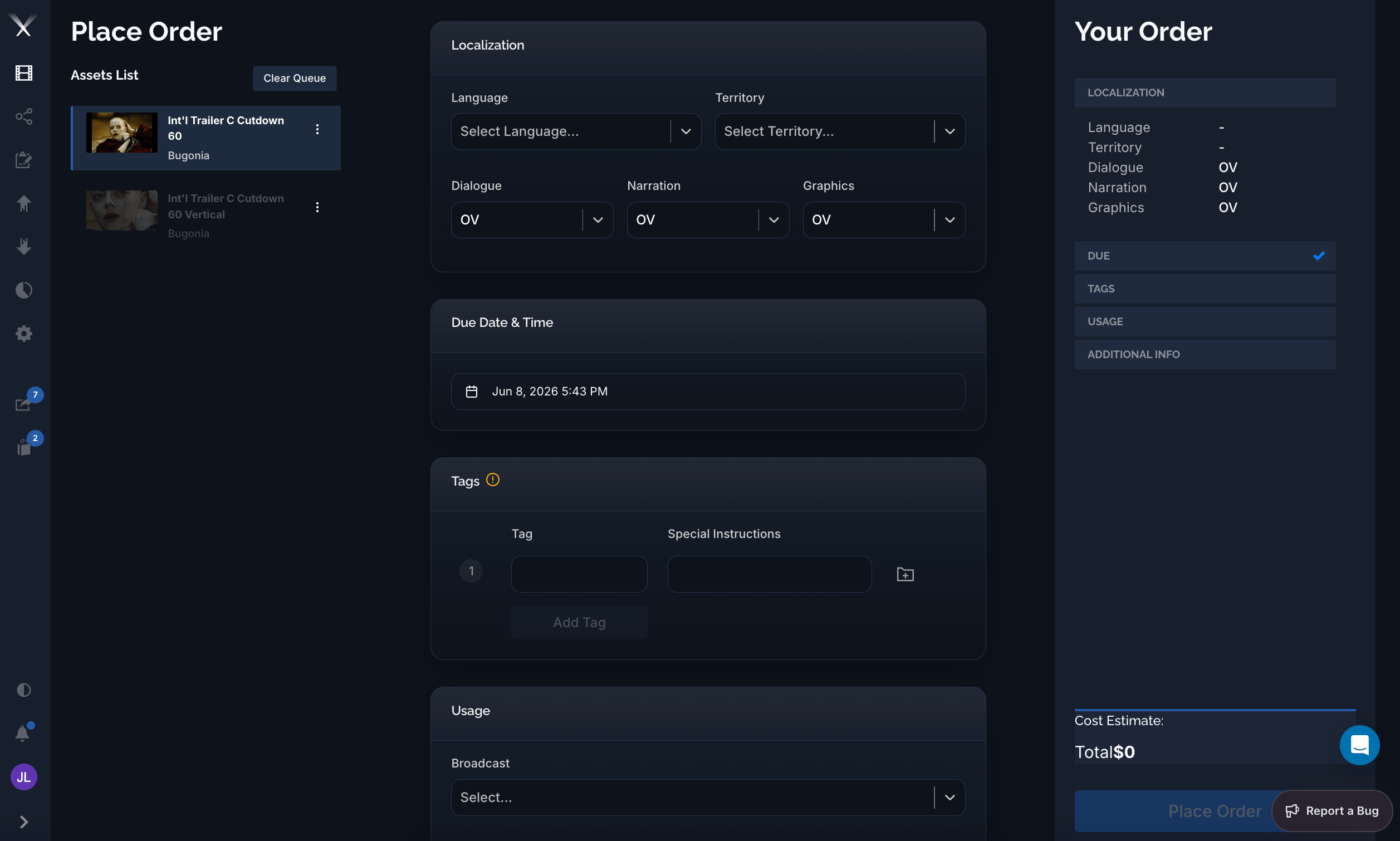
The Place Order page: queued assets on the left, order details (localization, due date, tags, usage) in the center, and a running order summary with cost estimate on the right.
- Territory and language — where the deliverable is going and what language it’s in.
- DNG — for dialogue, narration, and graphics, whether each stays original (OV), gets subtitled, or gets a dedicated localized version (dubbed audio or localized graphics).
- Usages — how the deliverable will be used: online, broadcast, theatrical (DCP), print, and their format variants.
- Due date, tags, and notes — when it’s needed, how to group the deliverables, and any instructions for the team doing the work.
The stages of a work request
A work request moves through a defined set of stages. You always know where an order stands by its status.1
Incomplete
The order is being drafted. All fields can still be edited; it hasn’t been submitted yet.
2
Submitted
The order has been sent to Pixwel for processing.
3
Awaiting materials
The order is waiting on required source material (for example dubbed audio or graphics) before work can begin.
4
In progress
The team is actively producing the localized assets.
5
For review
A preview (an offline) is ready for the client to review and either approve or send back.
6
Approved → Complete
Once approved, the final files are prepared and delivered, and the order is marked complete.
An offline is a workprint or preview version sent for approval — not the final deliverable. The final, delivered files arrive when the order reaches Complete.
Tracking an order: the timeline
Open a work request and you get the order’s whole life in one view. The left panel holds the order’s details — language, territory, the DNG choices (here dialogue Subtitled, narration OV, graphics Dedicated / Localized), who requested it, dates, translator, and deliverables — under Overview, Discussion, Tags, and Files tabs. The right side is the timeline: every stage the order has passed through, newest at top, each entry stamped with who acted and when. As work progresses you see the delivered files at Complete, the approved tags and deliverables at Approved, and the reviewable offline — with a version selector (v1, v2, …) and an inline player — at Awaiting Approval. Watermarked previews carry the viewer’s email.
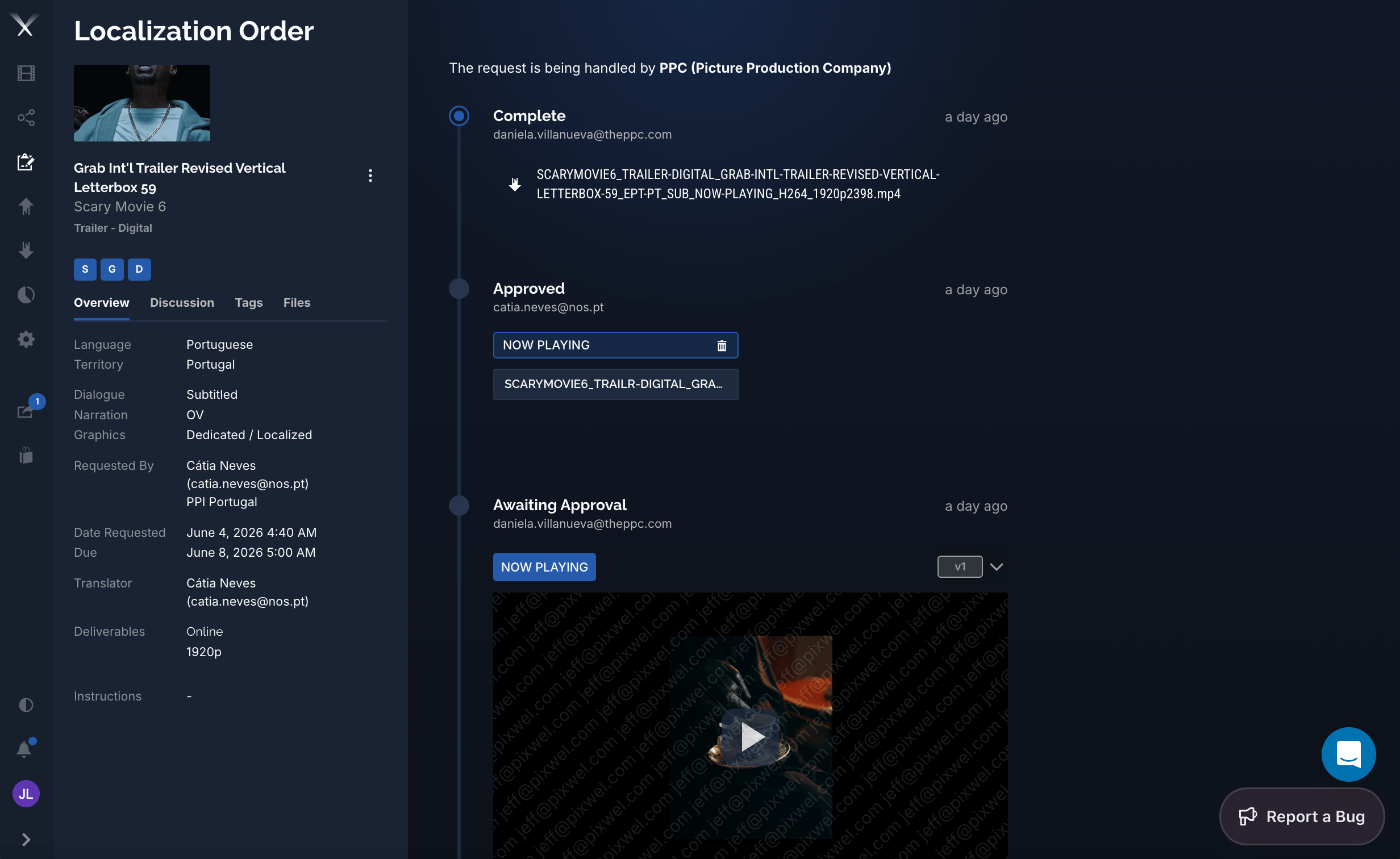
A work request's detail view: order details and tabs on the left, the status timeline (Complete → Approved → Awaiting Approval) with deliverables, tags, and a reviewable offline on the right.
The banner up top shows who’s handling the request — the assigned localization vendor (for example PPC — Picture Production Company).